Introducing the Zocove + HubSpot integration (beta)
Connect HubSpot Deals to Zocove deal rooms and bring buyer engagement intelligence into the workflow your team already uses every day.
 4 min read
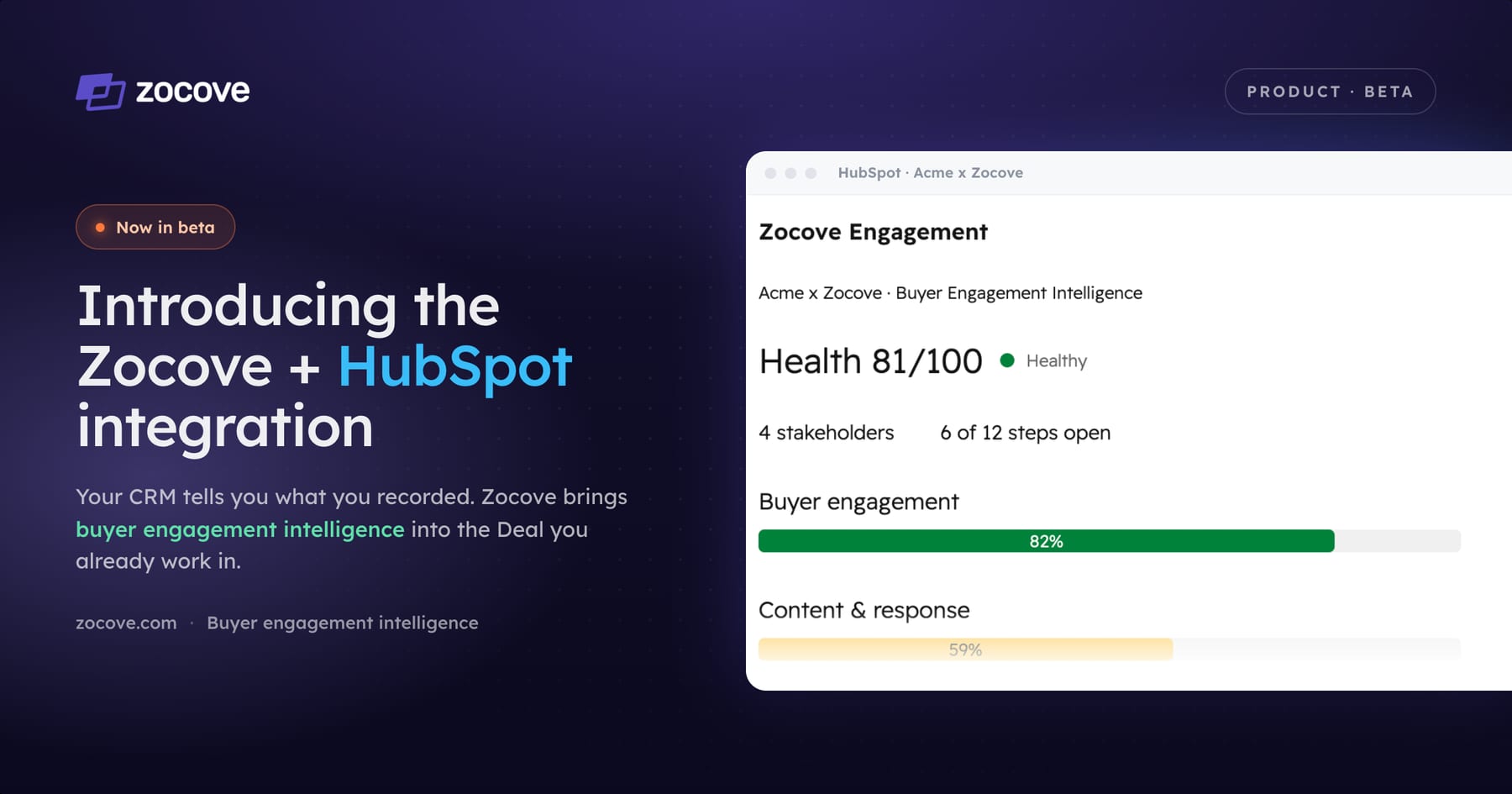
Most sellers spend their day in HubSpot. That is where deals get updated, notes are captured, tasks are managed, and forecasts take shape.
The challenge is that HubSpot can only tell you what you have recorded. It cannot tell you whether your champion has gone quiet, whether a new stakeholder has entered the buying process, whether buyers are sharing your proposal internally, or whether momentum is fading before your next meeting — which is the lagging-indicator problem every CRM has.
Today we are introducing the Zocove HubSpot integration, now available in beta. Instead of jumping between systems, sellers can connect HubSpot Deals directly to Zocove deal rooms and bring buyer engagement intelligence into the workflow they already use every day.
See what's happening between meetings
Enterprise deals do not stall during meetings; they stall between them. While you are working other opportunities, buyers are building consensus, reviewing content, involving new stakeholders, and making decisions you never see inside your CRM.
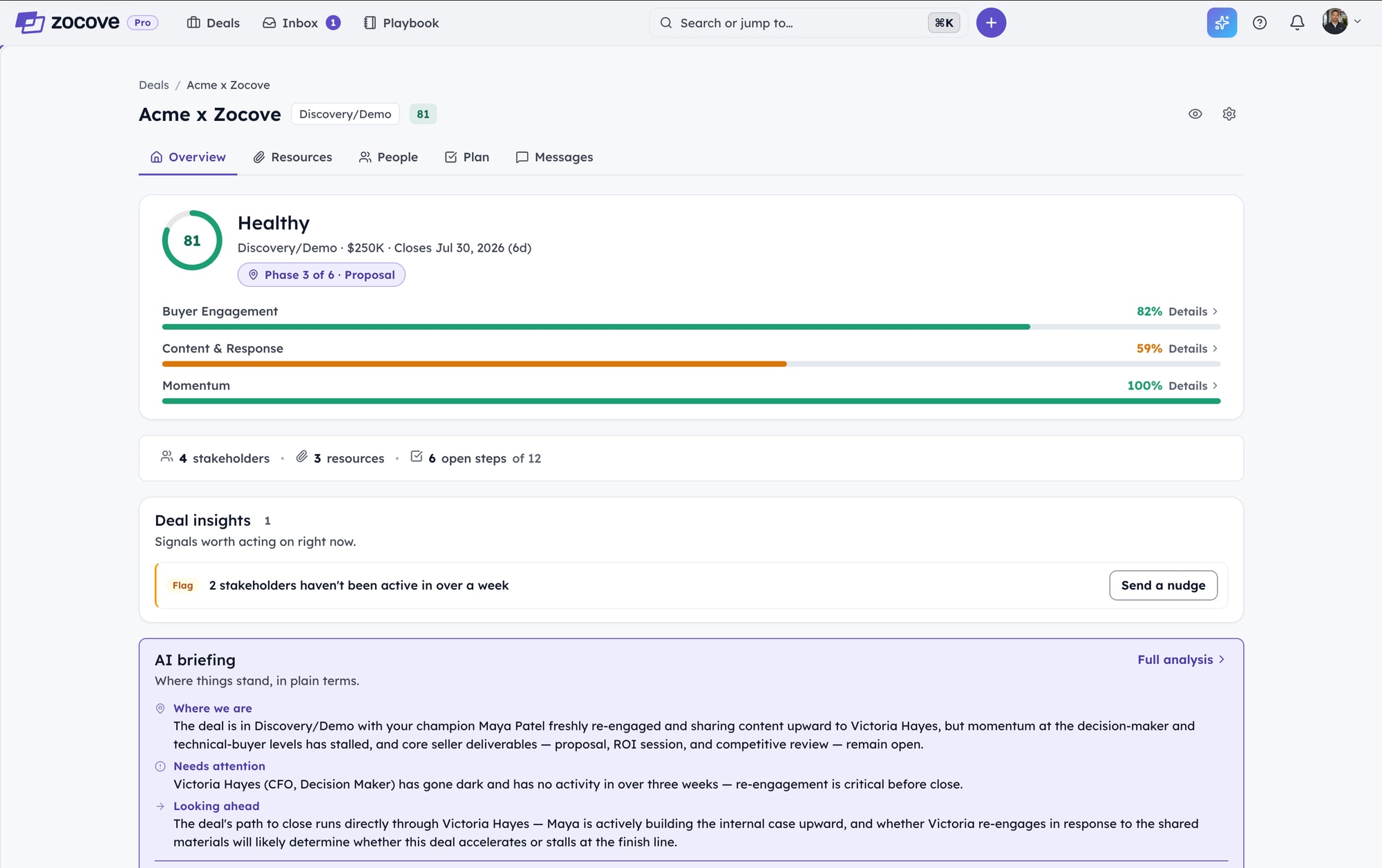
Zocove fills that visibility gap. Every connected Deal is continuously analyzed for buyer engagement, stakeholder activity, content interactions, and overall momentum, so instead of digging through emails, meeting notes, and CRM history, sellers get a simple AI briefing that answers three questions:
- Where does the deal stand?
- What needs attention?
- What should happen next?
It is the context you would want before every customer conversation.
Built into your existing sales workflow
The integration keeps your HubSpot Deal and your Zocove room connected in both directions. With the beta, you can:
- Connect your HubSpot workspace to Zocove.
- Link HubSpot Deals to Zocove deal rooms.
- Automatically synchronize key Deal information, including stage, value, and close date.
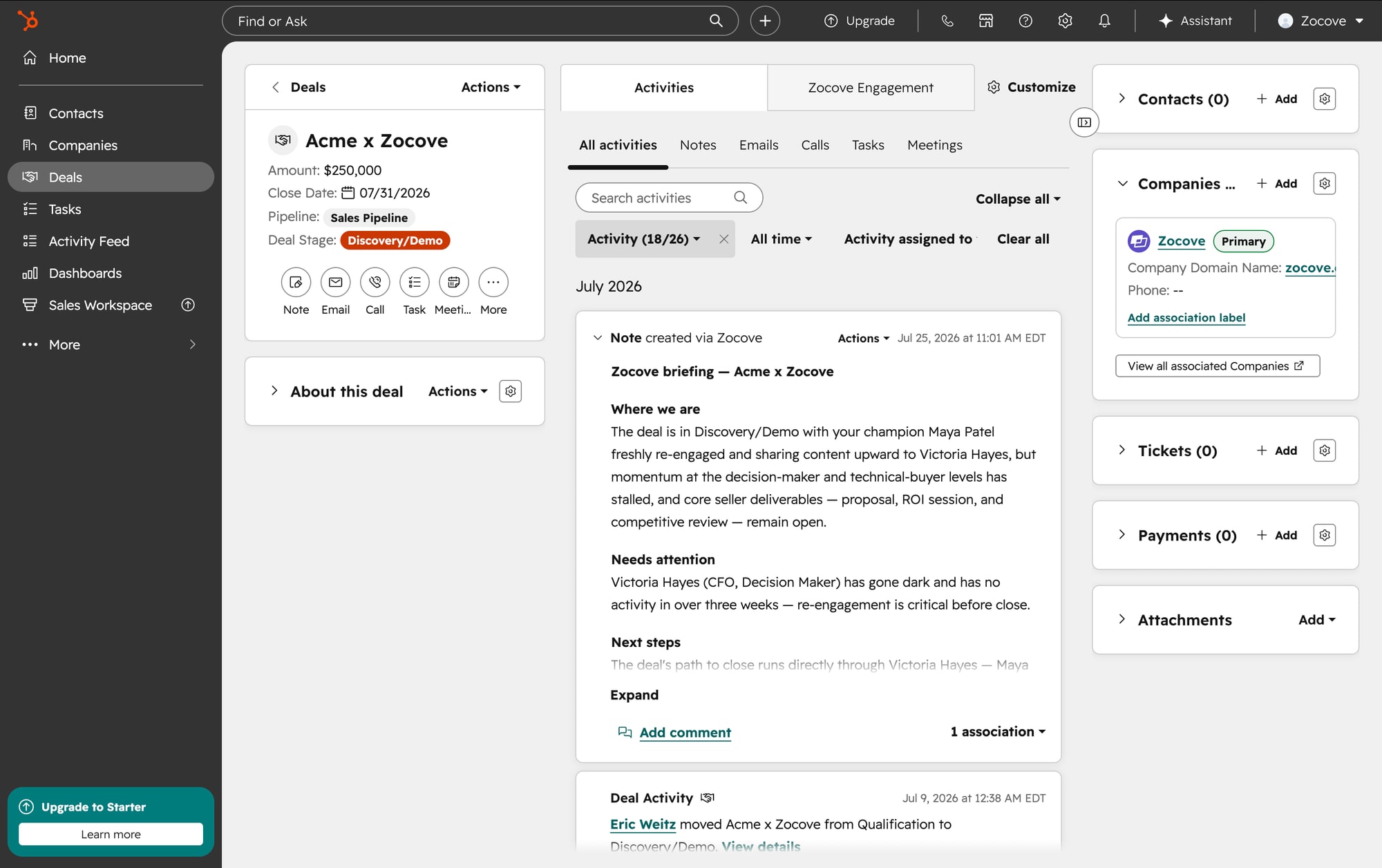
- Push AI-generated deal briefings back into the HubSpot Deal timeline, so sellers and managers have the latest context without leaving HubSpot.
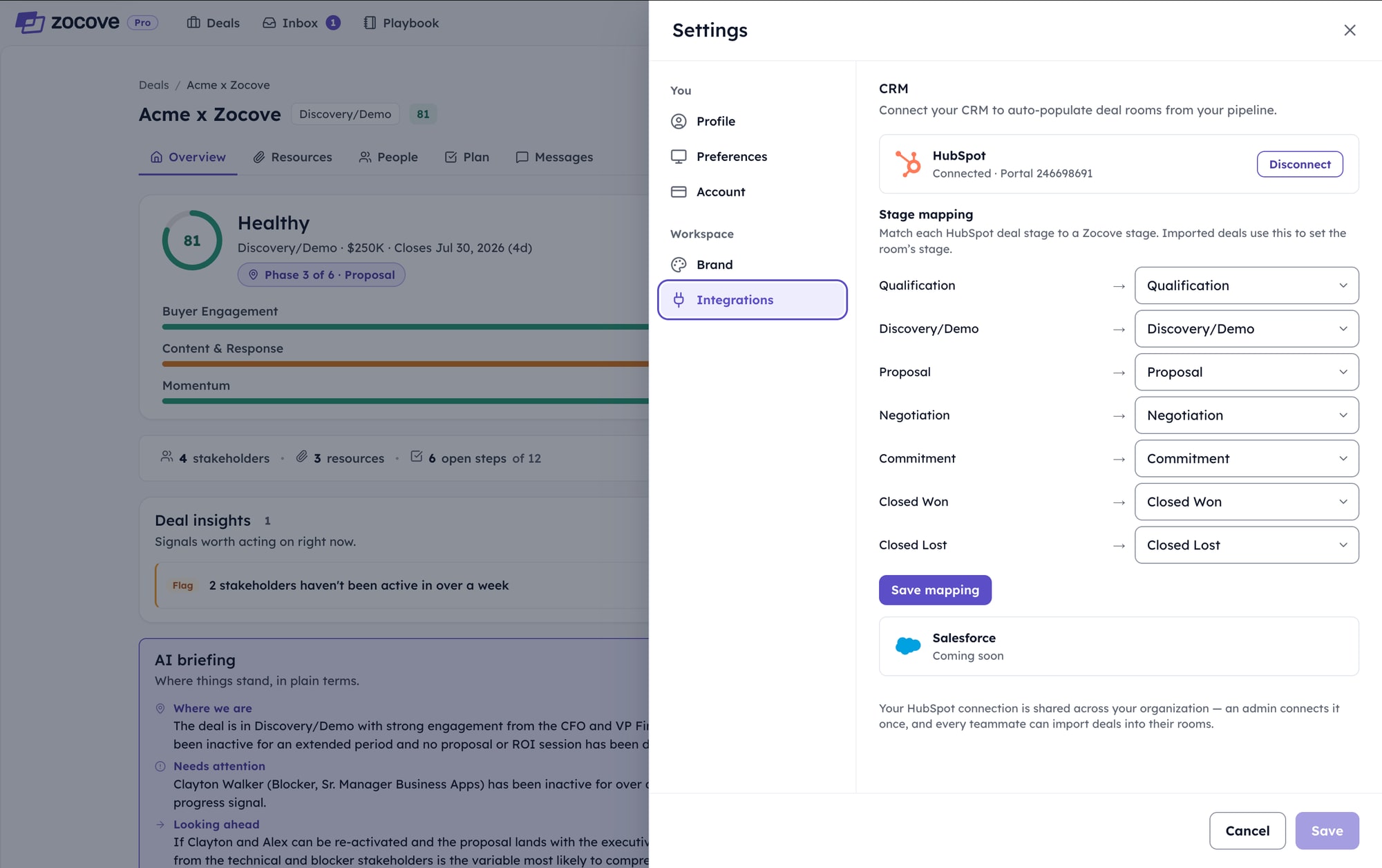
1. Connect your HubSpot workspace
An admin connects the portal once and maps each HubSpot deal stage to a Zocove stage. That connection is then shared across your organization, so every teammate can import deals into their rooms without repeating the setup.
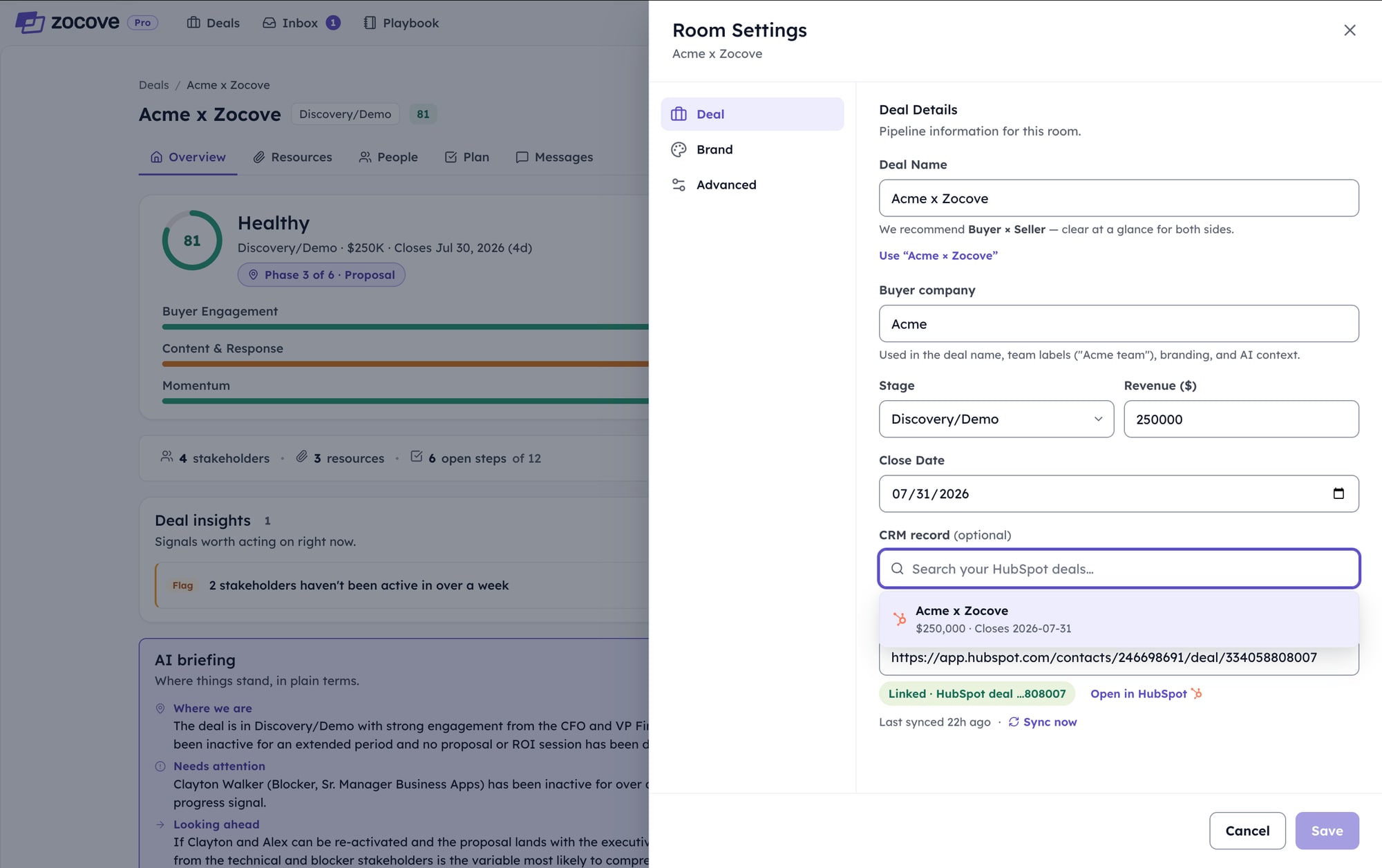
2. Link Deals to deal rooms
From room settings, search your HubSpot deals and link the record. Stage, value, and close date stay synchronized from that point on, so the room and the pipeline never drift apart.
3. Push briefings back to the timeline
AI-generated briefings post directly into the HubSpot Deal activity timeline. Sellers and managers inherit the latest context in the place they already look, without anyone having to copy a summary across systems.
4. Read live buyer signals on the record
Deal health and the three published sub-scores — Buyer Engagement, Content & Response, and Momentum — update on the HubSpot Deal itself, alongside the next move Zocove recommends. Stakeholder activity and content engagement stay visible without a tab switch or a stale field.
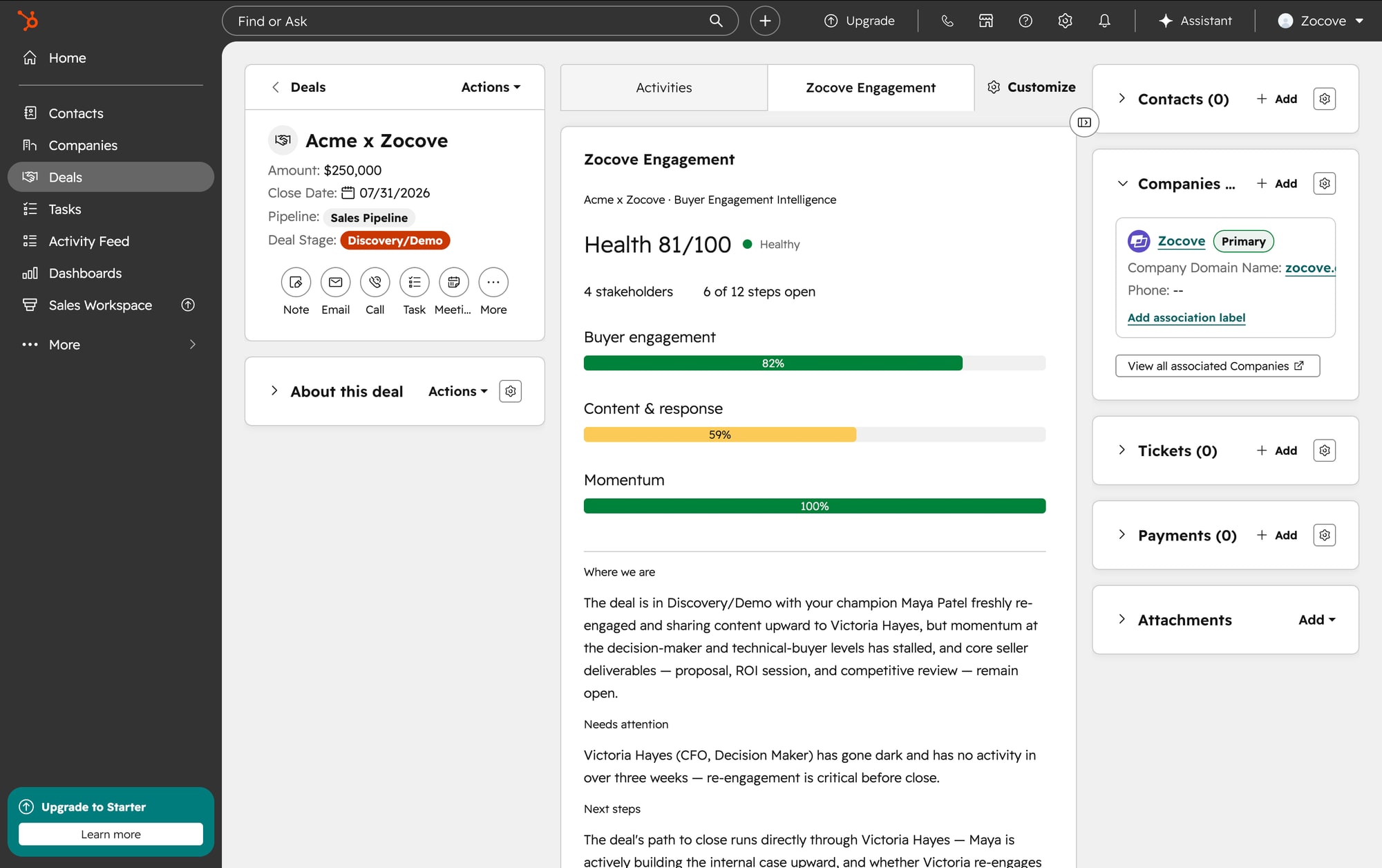
The goal is not to replace your CRM — it is to make it more useful.
Why this matters
Most CRM fields tell you what you did; Zocove helps you understand what your buyers are doing. Are they engaging with your content? Has your champion gone quiet? Is someone new influencing the decision, and is momentum building or slipping?
Those are the questions that determine whether a deal moves forward, and they are usually the ones sellers have the hardest time answering.
Available now in beta
The HubSpot integration is available today on every plan. Because it connects to your organization's HubSpot workspace, the initial setup requires HubSpot administrator permissions; once connected, your team can begin linking Deals and reading buyer engagement intelligence immediately.
We are continuing to expand the integration based on feedback from early users, and we would love to hear what you think.